 Arka
ArkaThe control panel
The panel is part of Arka itself — nothing to install. It shows what every site is doing right now, and lets you change any setting through a form or the raw file, with a check before anything goes live.
It listens on port 9898 over HTTPS (see Install → Sign in for the first sign-in and how to keep the port private). Try it without installing anything in the live demo.
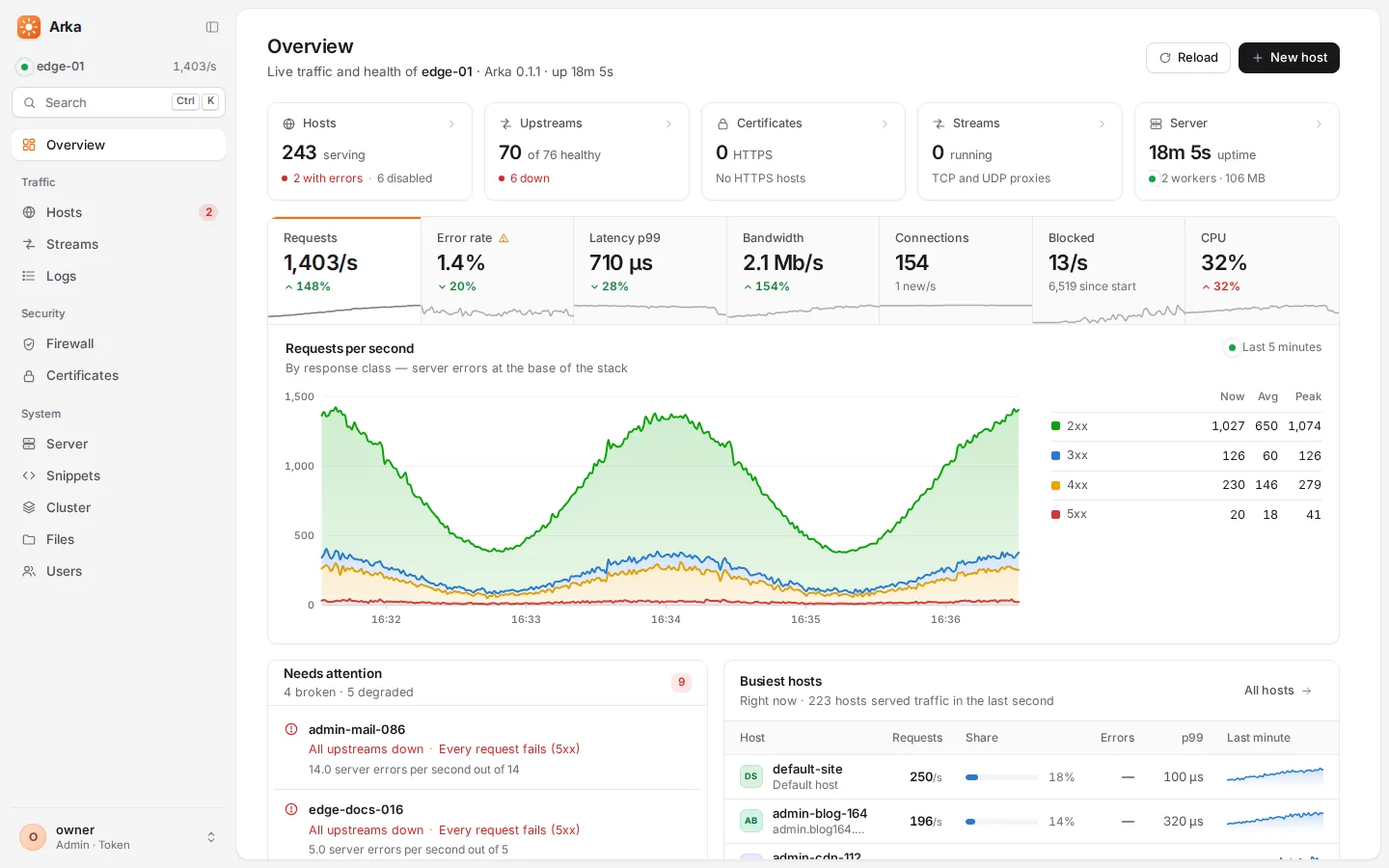
The pages#
The menu on the left groups the pages:
| Group | Page | What it shows and does |
|---|---|---|
| Overview | Requests, errors, response times and bandwidth across all sites, live; the busiest hosts; and Needs attention — only what is wrong, one row per host: broken files, failing upstreams, hosts answering 5xx, certificates about to expire, a disk almost full. | |
| Traffic | Hosts | Every site in one table: status, traffic, errors, certificate. Search, filter, sort, bulk-enable or disable. Each host gets a one-word verdict: Healthy, Degraded, Failing, Config error or Down. A host map shows every site as a tile coloured by traffic, errors or latency. Deleted brings back a host or stream deleted from the panel. |
| Streams | TCP and UDP services: connections, bytes and upstream health. | |
| Logs | Every request as it happens, filterable by host, status and text. Open a request to see everything about it — headers, timings, the upstream that answered, the firewall's verdict. | |
| Security | Firewall | Requests the firewall refused (or would refuse, while it learns) and why, what attackers are trying, who is close to a ban, current bans. Allow here turns a false positive into an exception for that path; ban or release an address in a click. |
| Certificates | Every certificate, its issuer and expiry, ACME status and OCSP stapling, with Renew now. | |
| System | Server | The server's own settings (arka.toml) as forms — logs and disk, alerts, updates among them — Updates, Backups (make, download, upload, restore), the Server log (Arka's own messages), and Activity — the audit log of who changed what. |
| Snippets | Shared configuration pieces, and which hosts use each. | |
| Cluster | Every node of a cluster, its version, last sync and traffic. | |
| Files | A file manager for the server — only when turned on in arka.toml on the server (file_manager = true; the panel cannot switch it on), and only for admins. |
|
| Users | Panel accounts and their roles (admins only). |
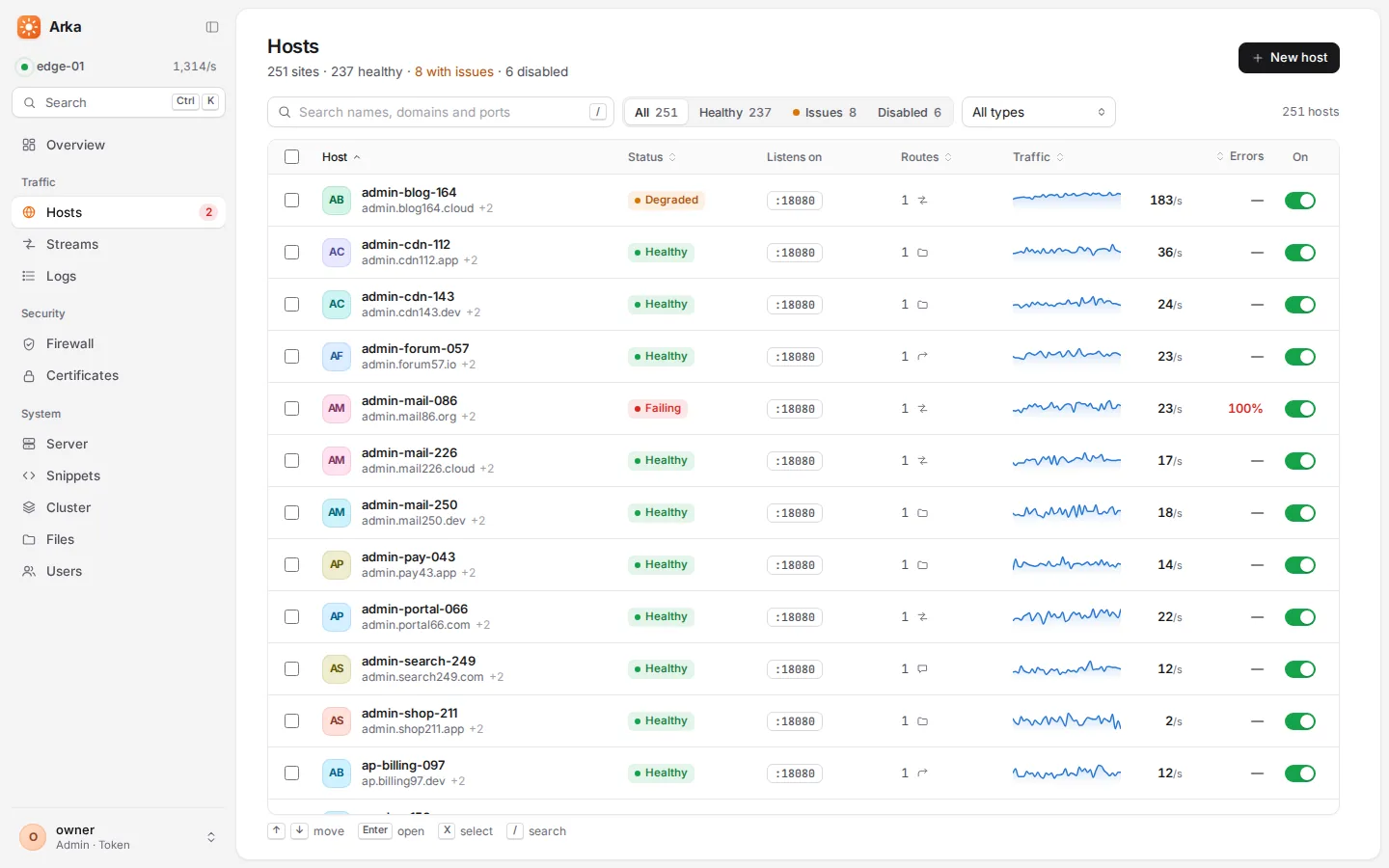
A host's page#
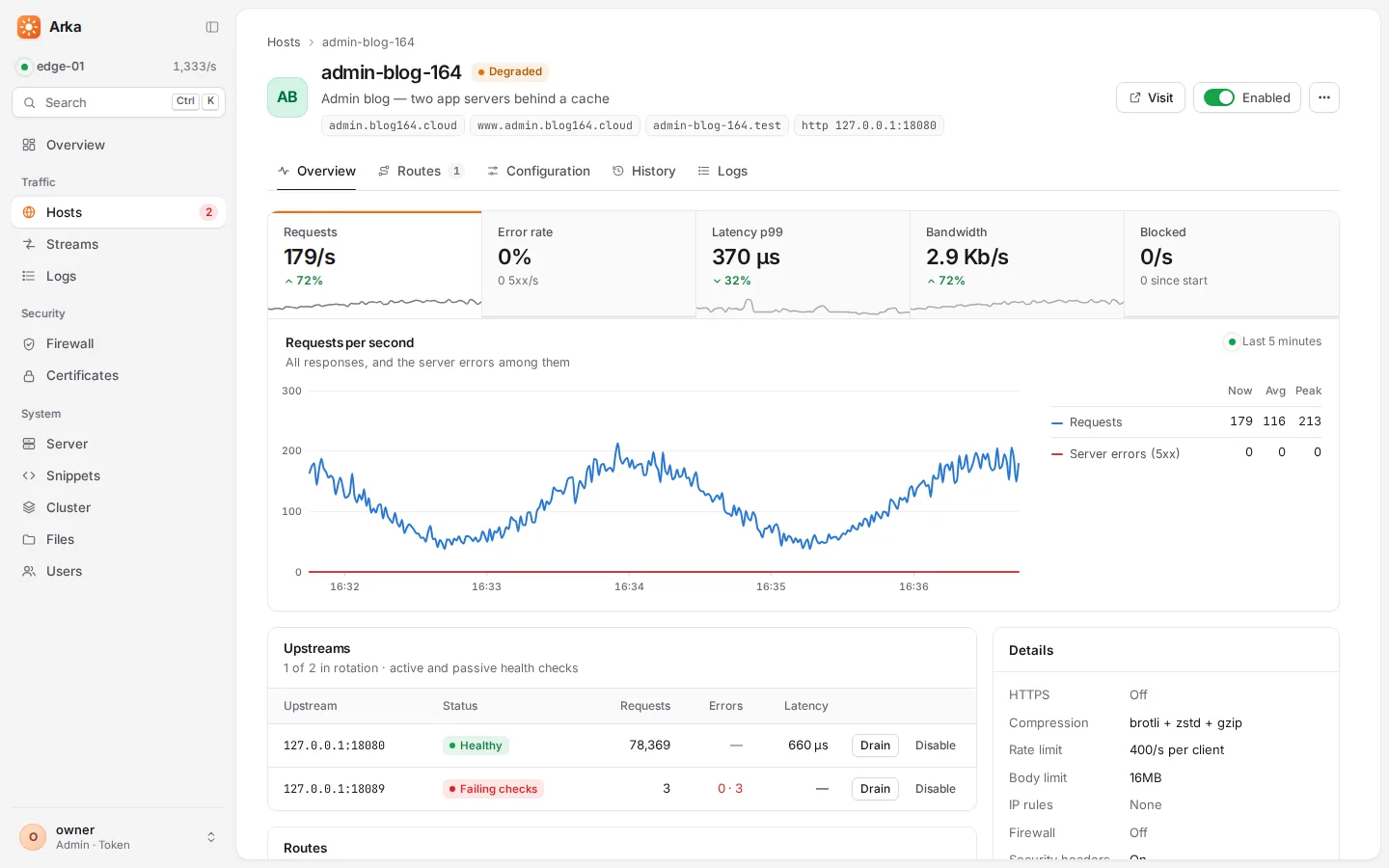
Open a host from the table to see:
- Traffic, errors, latency and blocked requests, each a tab above one large chart, with a table of the current, average and peak values beside it.
- Upstreams of its proxy routes: health, recent response time, answers by status class, whether outlier detection ejected them. Set any upstream to draining (no new visitors, requests in flight finish), disabled or enabled — no file edit, no reload.
- Protection: blocked requests and failed sign-ins for this site.
- Cache: hit rate and memory, with a Purge button.
- Routes and settings — and the buttons to edit them.
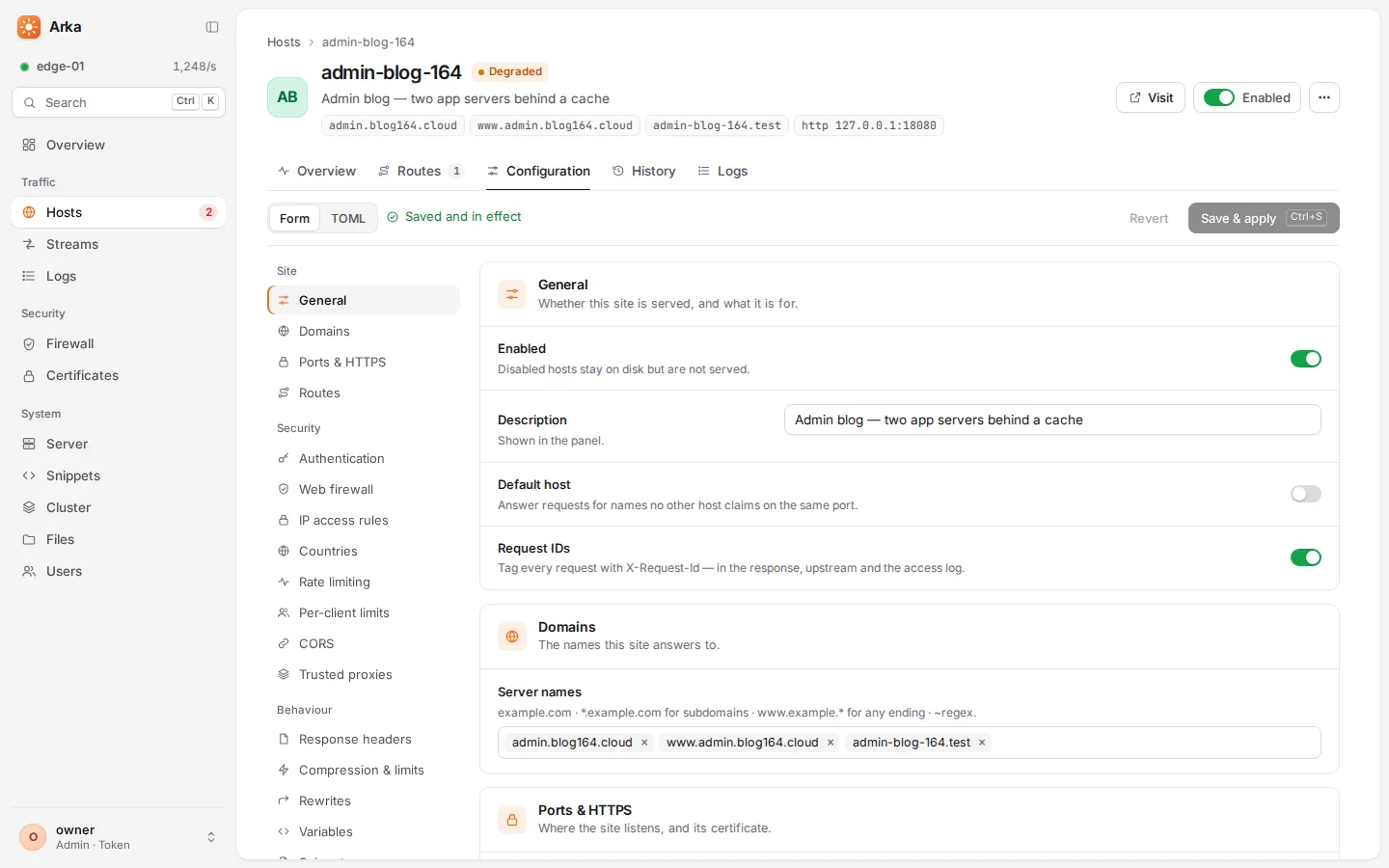
Changing settings#
Every setting of a host has a form, grouped into blocks — the site (names, ports, HTTPS, routes), security (sign-in, IP rules, rate limits, firewall, CORS) and behaviour (headers, compression, rewrites, error pages, logging) — with plain-language hints. Or switch to the TOML view and edit the file itself. Both are checked as you type by a dry run on the server, which reports problems with the line to fix.
The Web firewall block starts with the protection level: Basic, Standard (recommended, and what the switch turns on), Strict, Maximum, or Custom to choose the rule set, sensitivity and what is checked yourself. Switched on, the firewall first learns for 24 hours — logging what it would refuse — then blocks; Block now ends that early. Below it: block or detect only, how large a body is checked and what happens to larger ones, exceptions and your own rules.
- Review changes shows the exact difference before you apply it. Ctrl/⌘+S applies.
- Saving from a form changes only what you changed. Comments, layout,
${…}references and every untouched line stay exactly as they were, and new settings are written only when they differ from their defaults — so editing by hand and in the panel mix freely. - Every version is kept. The history shows each earlier version with a diff, and loads any of them back in one click.
- A broken file never takes a site down. If a file cannot be used, the site keeps serving its last good version, the host shows amber (not red), and Fix in editor jumps to the failing line.
New hosts#
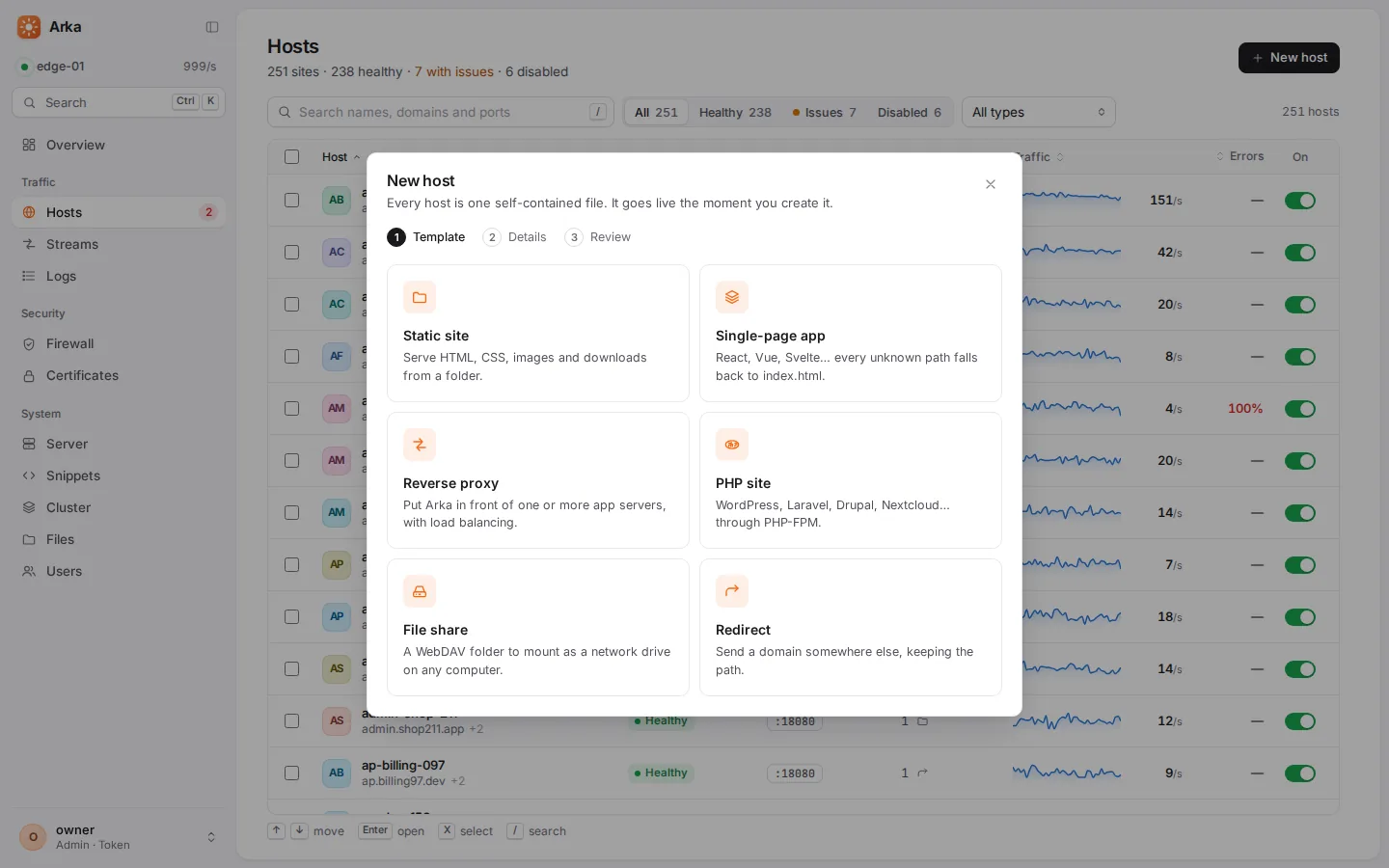
New host (or N) starts from a template — Static site, Single-page app, Reverse proxy, PHP site, File share or Redirect — asks for the names and the folder or address, shows the file it is about to write, and makes the site live. Automatic HTTPS is one switch.
Accounts and roles#
The access token in /etc/arka/.admin-token is the owner's key: it can do everything. For day-to-day work, and for everyone else, create accounts under Users:
| Role | Can |
|---|---|
| Viewer | See everything — hosts, logs, metrics, certificates — and change nothing. Secrets in configuration files (passwords, keys, tokens) are hidden from viewers. |
| Editor | Also create and change hosts, streams, snippets and certificates, purge caches, ban addresses, and drain or disable upstreams. |
| Admin | Also manage users and the server's own settings, and use the file manager. |
No site can reach Arka's own files, whoever writes it: web roots, error pages, logs and scripts may not point at arka.toml, the token, the configuration folders or /var/lib/arka — nor serve the system's folders, name a log like a script, or proxy to a socket that controls the machine (see what sites cannot reach). So an editor can change what the sites do, but cannot read the panel's secrets through one, make themselves an admin, or reach past the sites. Likewise an admin's panel session cannot switch on the file manager, set a program for Arka to run or change where updates come from — those stay in arka.toml.
Two-step sign-in. Anyone can turn it on under Account: scan the QR code with an authenticator app (Google Authenticator, Microsoft Authenticator, 1Password, Aegis…) and confirm a code. From then on, signing in also asks for a six-digit code. An admin can reset it for someone who lost their phone.
Passkeys. Under Account → Passkeys, add up to ten — a phone, a laptop's fingerprint reader or face unlock, a security key — and sign in with a fingerprint, face or security key instead of a password and code: nothing a look-alike site could capture, and it counts as two-step sign-in. Passkeys need the panel to have a domain name (browsers refuse them for addresses like https://203.0.113.10:9898) — see the panel under its own name.
Sessions last twelve hours. They travel in an Authorization header, never a cookie, which makes the panel immune to cross-site request forgery. Ten failed sign-ins within ten minutes lock that address out for fifteen minutes. Every change, and every failed sign-in, is written to the audit log (Server → Activity, and /var/log/arka/admin-audit.log) with the name of who did it.
Keyboard shortcuts#
| Keys | Action |
|---|---|
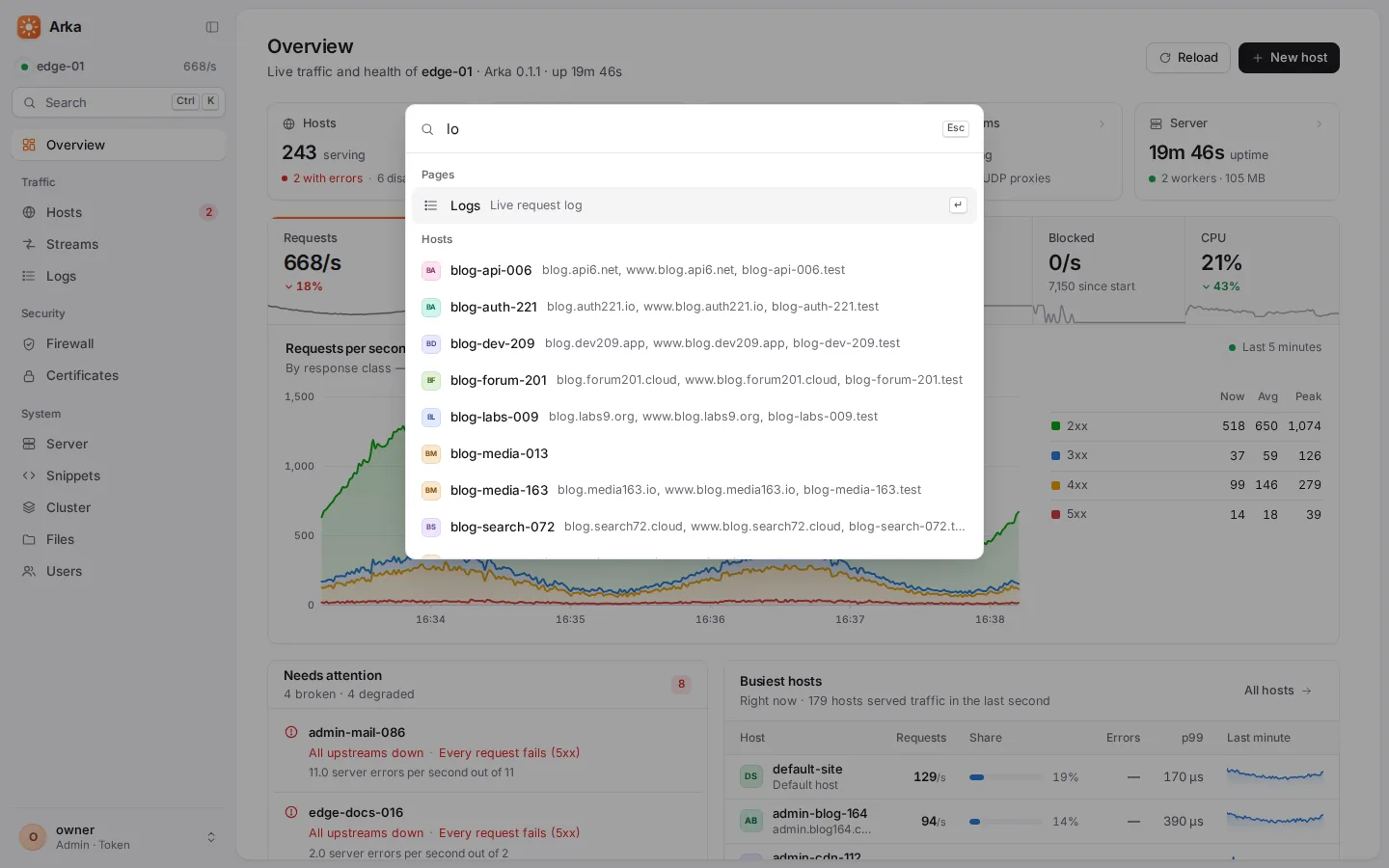
| Ctrl/⌘+K | The command palette: jump to any host, page or action by typing |
| / | Search |
| N | New host |
| G then a letter | Go to a page: Overview, Hosts, Logs, Firewall, Certificates, Server… |
| ↑ ↓ Enter | Walk the host table and the log, open a row |
| Ctrl/⌘+S | Apply the change you are editing |
| ? | List every shortcut |
Look and feel#
Light, dark or follow the system, with seven accent colours and a compact density. Every page works on a phone, 390 pixels wide. Charts were checked for colour-blind readers in both themes. Links to any page, host or filtered log can be bookmarked and shared.
The panel is light on the wire: about 104 KB of JavaScript and 17 KB of CSS, compressed. It stays fast with hundreds of hosts — the host table draws only the rows on screen, and live updates carry only the hosts that had traffic that second.
The API#
Everything the panel does goes through a REST API under /api/v1/ on the same port, with live updates as server-sent events. Scripts authenticate with the token or an account's session in an Authorization: Bearer … header. Useful calls:
TOKEN=$(sudo cat /etc/arka/.admin-token)
# purge a host's response cache
curl -sk -X POST -H "Authorization: Bearer $TOKEN" https://127.0.0.1:9898/api/v1/hosts/shop/purge
# make a backup, then download it (the answer names it: {"name": "arka-….tar.gz", …})
NAME=$(curl -sk -X POST -H "Authorization: Bearer $TOKEN" https://127.0.0.1:9898/api/v1/settings/backups | jq -r .name)
curl -sk -H "Authorization: Bearer $TOKEN" -o "$NAME" "https://127.0.0.1:9898/api/v1/settings/backups/$NAME"
# take an upstream out of rotation for maintenance
curl -sk -X POST -H "Authorization: Bearer $TOKEN" -H 'Content-Type: application/json' \
  -d '{"address": "10.0.0.12:8080", "state": "draining"}' \
  https://127.0.0.1:9898/api/v1/hosts/shop/upstreams/state
# ban an address
curl -sk -X POST -H "Authorization: Bearer $TOKEN" -H 'Content-Type: application/json' \
  -d '{"target": "198.51.100.7", "duration": "1h", "reason": "scraping"}' https://127.0.0.1:9898/api/v1/bans
GET /metrics (Prometheus) and GET /healthz are on the same port — see Running in production.